LinkedIn Invitations and Automation: Policy-Aware Guidance (2026)
November 6, 2025 · 4 min read · by Ahmet Faruk Yilmaz, Founder of Asphia
TL;DR
LinkedIn does not publish a universal safe daily automation limit. Its published guidance warns that excessive invitations, poor recipient response, and prohibited automation can lead to restrictions. Use the native product or an explicitly authorized integration, send only relevant invitations, and review current LinkedIn terms before changing a workflow.
LinkedIn does not publish a universal daily invitation number that makes automation safe. Its current Help guidance says that account restrictions can follow many invitations in a short period, invitations that are ignored, left pending, or marked as spam, and suspected use of an automation tool. Its User Agreement also prohibits bots and other unauthorized automated methods for sending messages, adding contacts, or driving inauthentic engagement. Read LinkedIn’s current invitation-restriction guidance and User Agreement before designing a workflow.
What LinkedIn Publishes About Restrictions
LinkedIn says invitation limits exist to protect member experience and keep requests relevant. It identifies a high volume of invitations in a short time, recipient ignores or spam reports, and suspected automation as possible reasons for a restriction. It does not publish a fixed daily cap that applies to every account.
That means advice such as “send X per day,” randomized delays, or account warm-up schedules is not a permission signal. Do not use it to try to evade a limit or make unauthorized automation appear human.
Use the limits and notices shown in your own account, and pause when LinkedIn restricts activity. Its Help guidance recommends sending invitations only to people you know and trust, explaining the context with a personalized message, and using supported alternatives such as InMail or Groups where appropriate.
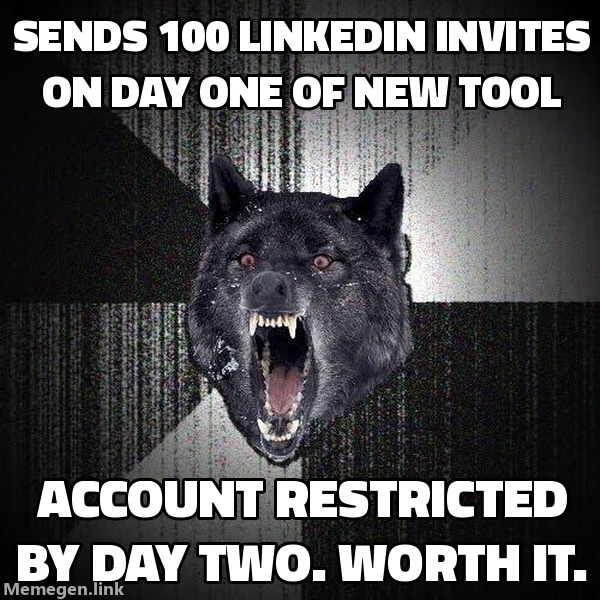 A third-party cap is not a substitute for LinkedIn’s current rules and in-product notices.
Invitations: Use Published Rules, Not “Safe” Caps
Do not operationalize a third-party numeric cap as if it were LinkedIn policy. Instead:
- Send invitations only where the relationship or professional context is genuine and clear.
- Add a short, accurate reason for connecting where LinkedIn’s current product allows it.
- Respect the invitation limits and restriction notices shown by LinkedIn.
- Stop using any tool or extension that automates LinkedIn activity unless LinkedIn explicitly authorizes it for your use case.
LinkedIn’s Help center notes that limits can apply even to Premium accounts and that repeated suspensions can result in a permanent restriction.
Messages and Follow-Ups
Keep an invitation or follow-up accurate, concise, and relevant to the recipient. Do not fabricate a shared connection, activity, or business signal. LinkedIn’s current product limits for personalized notes may differ by plan and can change, so verify them in the product or Help center rather than relying on this article for a character or volume rule.
Before a message is sent, review the source behind any claimed trigger, the appropriateness of the channel, and the recipient’s likely context. This review can improve quality; it does not authorize a tool or guarantee a reply.
Avoid Simulated Activity
Do not use software to simulate profile views, endorsements, follows, messages, or other interaction. The User Agreement prohibits unauthorized automated methods and inauthentic engagement. Use LinkedIn’s native controls and any integration it explicitly authorizes instead.
The Human Approval Gate
Human review can protect message quality and recipient context; it is not a workaround for platform restrictions.
At Asphia, a reviewer checks that material message claims are accurate, relevant, and worth the recipient’s time before approval. Any activity must still use permitted tools and follow the applicable platform rules.
If you are building a review process, document the source for each message claim, the account owner, and the approval decision. If you need help with that workflow, done-with-you outbound can scope the review and handoff process; it does not override LinkedIn’s rules.
Coordinating LinkedIn With Cold Email
Do not assume that adding channels improves results. Choose each channel based on permission, recipient context, and measured performance.
A policy-aware multi-channel plan should:
- Use only permitted LinkedIn features and current account limits.
- Verify every stated signal against an available source before referencing it.
- Respect applicable privacy, unsubscribe, and channel-specific rules before contacting someone elsewhere.
For teams building this kind of system, Clay enrichment can organize available signal sources for review; it does not establish the truth, permission, or appropriateness of a message on its own.
The Compliance Angle
If you are reaching out to prospects in the EU, privacy law can apply to LinkedIn outreach. A public profile is not automatically free for any marketing use. Document an appropriate lawful basis, keep messages relevant to the recipient’s professional role, and obtain legal advice for the jurisdictions and processing involved.
Relevant targeting does not itself establish a lawful basis or a right to contact someone. For more on our process controls, see our GDPR-compliant cold email agency overview.
The policy-aware LinkedIn strategy is not a secret daily number or an automation workaround. Use permitted product features, respect the current terms and in-product limits, send only relevant and accurate outreach, and pause when LinkedIn restricts activity.
Request the signal tier list.
A practical view of how we rank observable signals before outreach. We review each request for fit and may reply by email; delivery is not automatic.
By submitting, you agree to processing described in our Privacy Policy.
Your request was submitted. If it is a fit, we may follow up by email.
One more step: send the prepared request to [email protected]
FAQ
How many LinkedIn connection requests can I send per day safely in 2026?
LinkedIn does not publish one universal safe daily number. Its limits can vary, and its help guidance says that sending many invitations in a short time, receiving ignores or spam reports, or using prohibited tools can lead to restrictions. Check the current in-product limits and LinkedIn Help rather than relying on a third-party cap.
Does LinkedIn allow automation tools at all?
LinkedIn's User Agreement prohibits bots or other unauthorized automated methods for accessing the service, adding contacts, sending or redirecting messages, and driving inauthentic engagement. Do not assume that randomized timing, a dedicated IP, or human review makes a prohibited tool permitted. Use native features or an integration LinkedIn explicitly authorizes.
What happens if you exceed LinkedIn's automation limits?
LinkedIn says an account may be temporarily restricted after excessive invitations, poor recipient response, or suspected prohibited automation. Repeated suspensions may result in a permanent restriction. Follow the restriction notice and current Help guidance rather than trying to work around it.
Is LinkedIn automation GDPR compliant?
Whether a workflow is lawful depends on its data, purpose, recipients, jurisdiction, and safeguards; platform permission is not a GDPR analysis. Document an appropriate lawful basis, offer an effective opt-out where required, and obtain legal advice for your specific program.
What is the safest LinkedIn automation tool strategy in 2026?
Use the native product or an explicitly authorized integration, follow the current User Agreement and Help guidance, and send only invitations that are relevant and accurate. A human review can improve message quality, but it does not make prohibited automation compliant.
Should I use LinkedIn automation or cold email for B2B outreach?
Choose channels based on recipient expectations, your permission and compliance basis, and measured results. Coordinate only messages you can substantiate and send through permitted workflows; neither channel nor their combination guarantees a response.

Ahmet Faruk Yilmaz
Founder of Asphia. He builds and runs signal-based B2B outbound engines for lean teams, and writes about cold email, Clay, deliverability, and GTM engineering.
Want this run for you?
Explore our B2B outbound and GTM engineering services, then request the planning framework to scope your next campaign.
Request the planning framework →